- You will need to send any hours you have accumulated prior to
DATE to the VTP Chairman. Your
received submit will appear like this:

- If you choose to mail-in your Log Sheets, your received hours will appear
like this:

- If you choose to submit each date as a separate entry from your Member's
Area, you will be entering your Log Sheet as "Pending" hours as which will
appear like this:
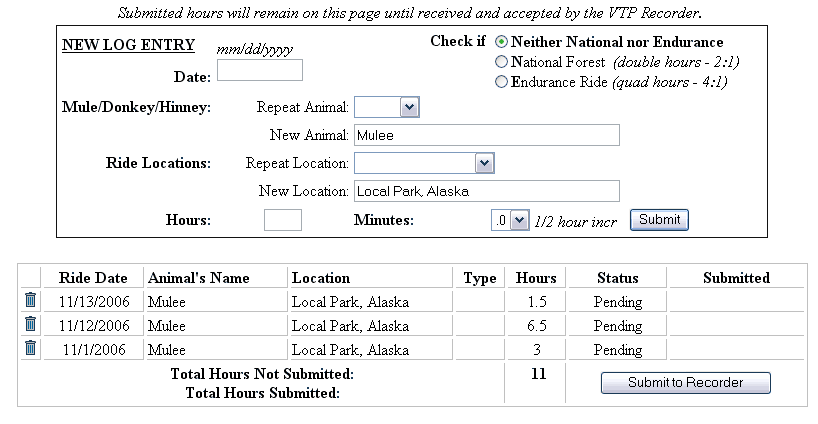
You will be able to correct items by deleting (trash can) and re-entering.
- Once complete, "Submit to Recorder".
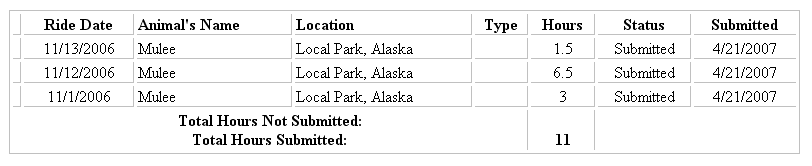
- These hours will remain on your On-Line Log Sheet Submit until received/accepted by
the VTP Recorder. You will be able to tell that the recorder as received
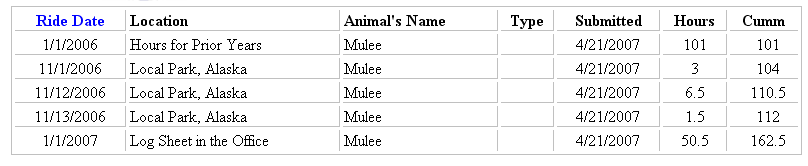
and accepted your hours! At that time, they will reflect on your "Check
My Hours" link within your Member's Area. Your new cumulative hours will look like this:
|